
Evergreen Tree
🌲 is the evergreen tree emoji, part of Unicode's Animals & Nature group, added in Emoji 1.0 (2015). Unicode's keyword list links it with “christmas”, “forest”, and “pine”.
Create a new emoji with 🌲Where plant-other emoji usually appear
DBEmoji editorial interpretationApplies to every emoji in this Unicode subgroup, not only this one.
- Nature, gardening, seasonal, and growth metaphors
Technical details
Source: Unicode Consortium- Unicode name
- EVERGREEN TREE
- CLDR short name
- evergreen tree
- Codepoint
- U+1F332
- Hex
- 1F332
- Emoji version
- 1.0
- Unicode version
- 8.0
- First released
- 2015
- Unicode group
- Animals & Nature
- Unicode subgroup
- plant-other
- Status
- Recommended for General Interchange (RGI)
Data verified 2026-10-21 · Unicode Emoji 16.0 · How this data is built
GitHub shortcode
From GitHub's own emoji list (gemoji). Slack, Discord and other apps keep separate lists, so a code may differ there.
:evergreen_tree:Keywords
Source: Unicode CLDRchristmas · evergreen · forest · pine · tree
Tags
How it looks
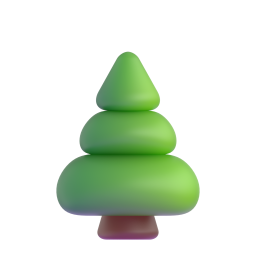


Rendered from open-licensed emoji sets. Your device shows its own design. Microsoft Fluent Emoji (MIT)
Download as image
Renders 🌲 with your system emoji font into PNG, WebP, or SVG. Pick a pixel size, then download.
Note: PNG and WebP use the emoji font installed on your device (Apple Color Emoji on macOS/iOS, Segoe UI Emoji on Windows, Noto Color Emoji on Android/Linux), so the look matches your platform. SVG embeds the character as text — rendering depends on the viewer.
Microsoft Fluent UI Emoji — original artwork
Download Microsoft's official Fluent rendering of 🌲. SVG files are vector (scales to any size); the 3D PNG is 256×256.
Questions people ask
- What does the 🌲 evergreen tree emoji mean?
- 🌲 is the evergreen tree emoji, part of Unicode's Animals & Nature group, added in Emoji 1.0 (2015). Unicode's keyword list links it with “christmas”, “forest”, and “pine”.
- What is the Unicode codepoint for 🌲?
- U+1F332, named EVERGREEN TREE in the Unicode Standard.
- When was the 🌲 evergreen tree emoji released?
- It was added in Emoji 1.0, published in 2015, alongside Unicode 8.0. Phones and computers show it once their system software supports that version; older devices may show an empty box instead.
- How do I type 🌲 on my phone or computer?
- On iPhone or Android, open the emoji keyboard and search for “evergreen tree”. On Windows, press Windows key + . (full stop); on a Mac, press Control + Command + Space, then search for the same word. You can also copy 🌲 from this page with one click.
- What is the shortcode for 🌲?
- On GitHub, type :evergreen_tree: and it turns into 🌲 — that code comes from GitHub's own emoji list. Slack, Discord and other apps keep their own shortcode lists; many codes match GitHub's, but check the app's emoji picker to be sure.