
Chart Increasing
📈 is a rising chart. It means growth, increase or prices going up.
Create a new emoji with 📈Where office emoji usually appear
DBEmoji editorial interpretationApplies to every emoji in this Unicode subgroup, not only this one.
- Work updates, planning, and admin tasks
Technical details
Source: Unicode Consortium- Unicode name
- CHART WITH UPWARDS TREND
- CLDR short name
- chart increasing
- Codepoint
- U+1F4C8
- Hex
- 1F4C8
- Emoji version
- 0.6
- Unicode version
- 6.0
- First released
- 2010
- Unicode group
- Objects
- Unicode subgroup
- office
- Status
- Recommended for General Interchange (RGI)
Data verified 2026-10-21 · Unicode Emoji 16.0 · How this data is built
GitHub shortcode
From GitHub's own emoji list (gemoji). Slack, Discord and other apps keep separate lists, so a code may differ there.
:chart_with_upwards_trend:Keywords
Source: Unicode CLDRchart · data · graph · growth · increasing · right · trend · up · upward
Tags
How it looks
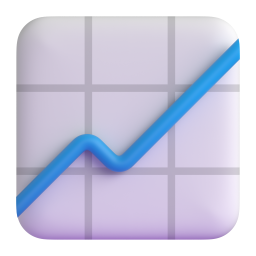


Rendered from open-licensed emoji sets. Your device shows its own design. Microsoft Fluent Emoji (MIT)
Download as image
Renders 📈 with your system emoji font into PNG, WebP, or SVG. Pick a pixel size, then download.
Note: PNG and WebP use the emoji font installed on your device (Apple Color Emoji on macOS/iOS, Segoe UI Emoji on Windows, Noto Color Emoji on Android/Linux), so the look matches your platform. SVG embeds the character as text — rendering depends on the viewer.
Microsoft Fluent UI Emoji — original artwork
Download Microsoft's official Fluent rendering of 📈. SVG files are vector (scales to any size); the 3D PNG is 256×256.
Questions people ask
- What does the 📈 chart increasing emoji mean?
- 📈 is a rising chart. It means growth, increase or prices going up.
- What is the Unicode codepoint for 📈?
- U+1F4C8, named CHART WITH UPWARDS TREND in the Unicode Standard.
- When was the 📈 chart increasing emoji released?
- It was added in Emoji 0.6, published in 2010, alongside Unicode 6.0. Phones and computers show it once their system software supports that version; older devices may show an empty box instead.
- How do I type 📈 on my phone or computer?
- On iPhone or Android, open the emoji keyboard and search for “chart increasing”. On Windows, press Windows key + . (full stop); on a Mac, press Control + Command + Space, then search for the same word. You can also copy 📈 from this page with one click.
- What is the shortcode for 📈?
- On GitHub, type :chart_with_upwards_trend: and it turns into 📈 — that code comes from GitHub's own emoji list. Slack, Discord and other apps keep their own shortcode lists; many codes match GitHub's, but check the app's emoji picker to be sure.